How it works
Your walking routine, made easier.
Tell Mova about your goals, discover your personalized walking plan, and bring your daily steps and walking workouts together in one place.
Three steps
From your goals to your next walk.
Everything personal happens in the Mova app on your phone. Here’s what to expect from the first minutes.
01
Tell us where you’re starting.
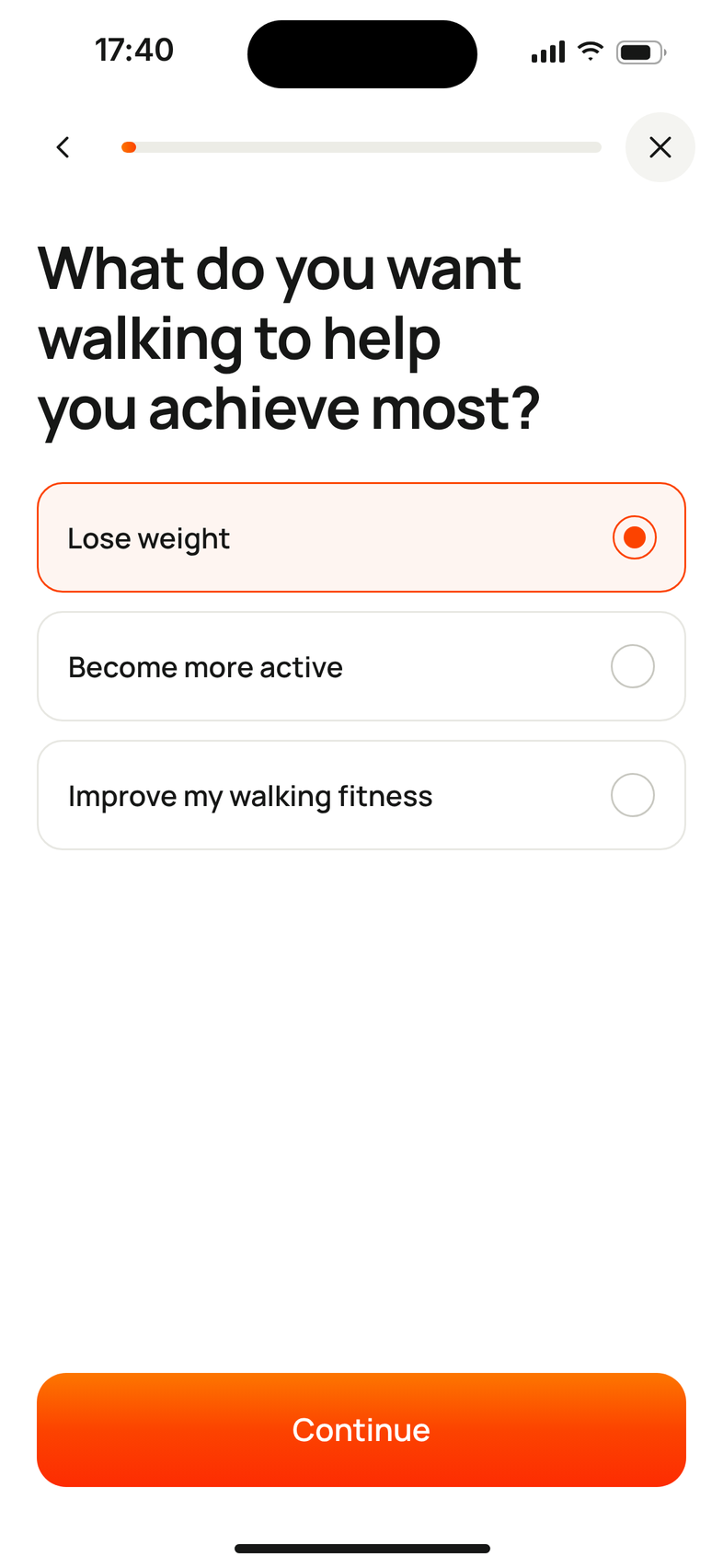
Answer a few questions about your goals and activity: what you want walking to help with, how active you are now, how much time you have, where you like to walk, and anything that affects how safely you can walk.
02
Discover your plan.
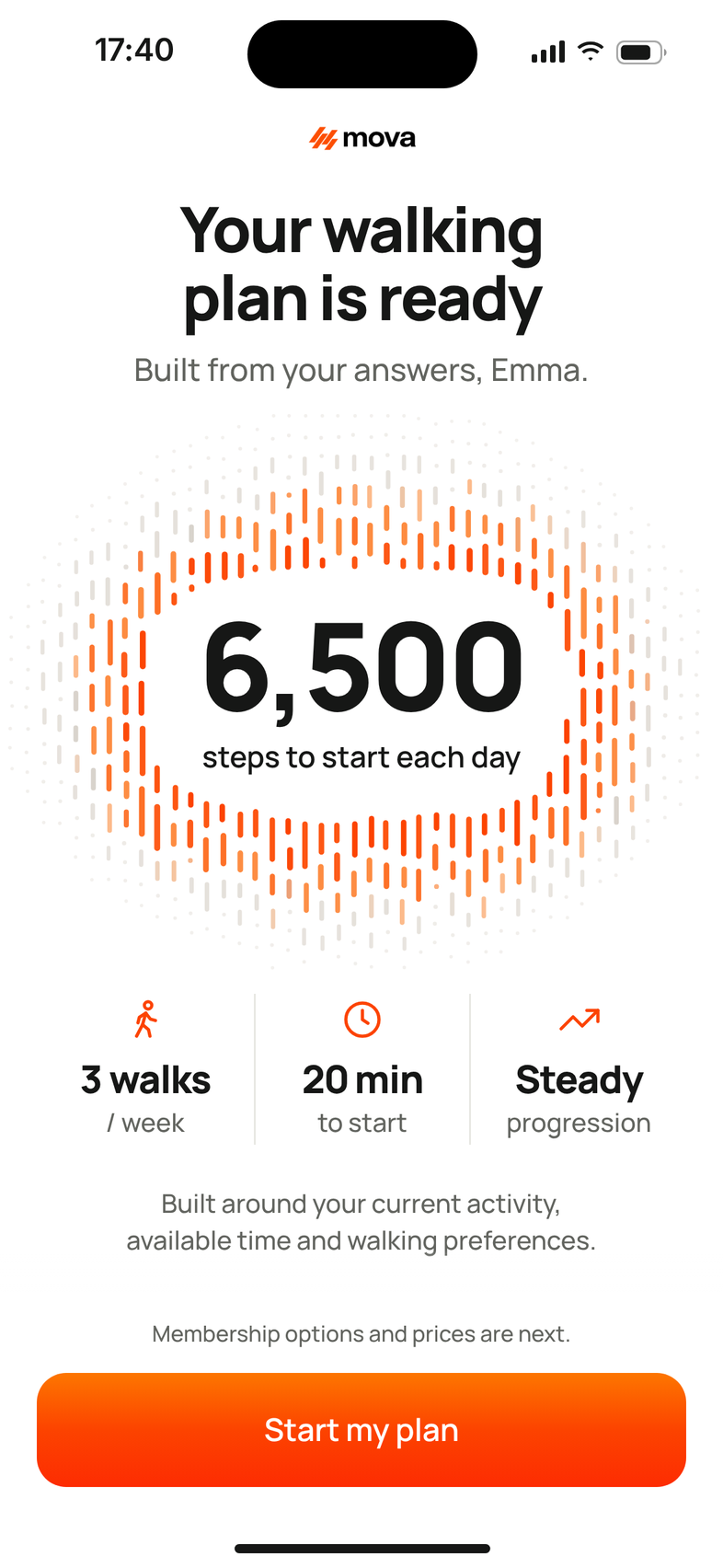
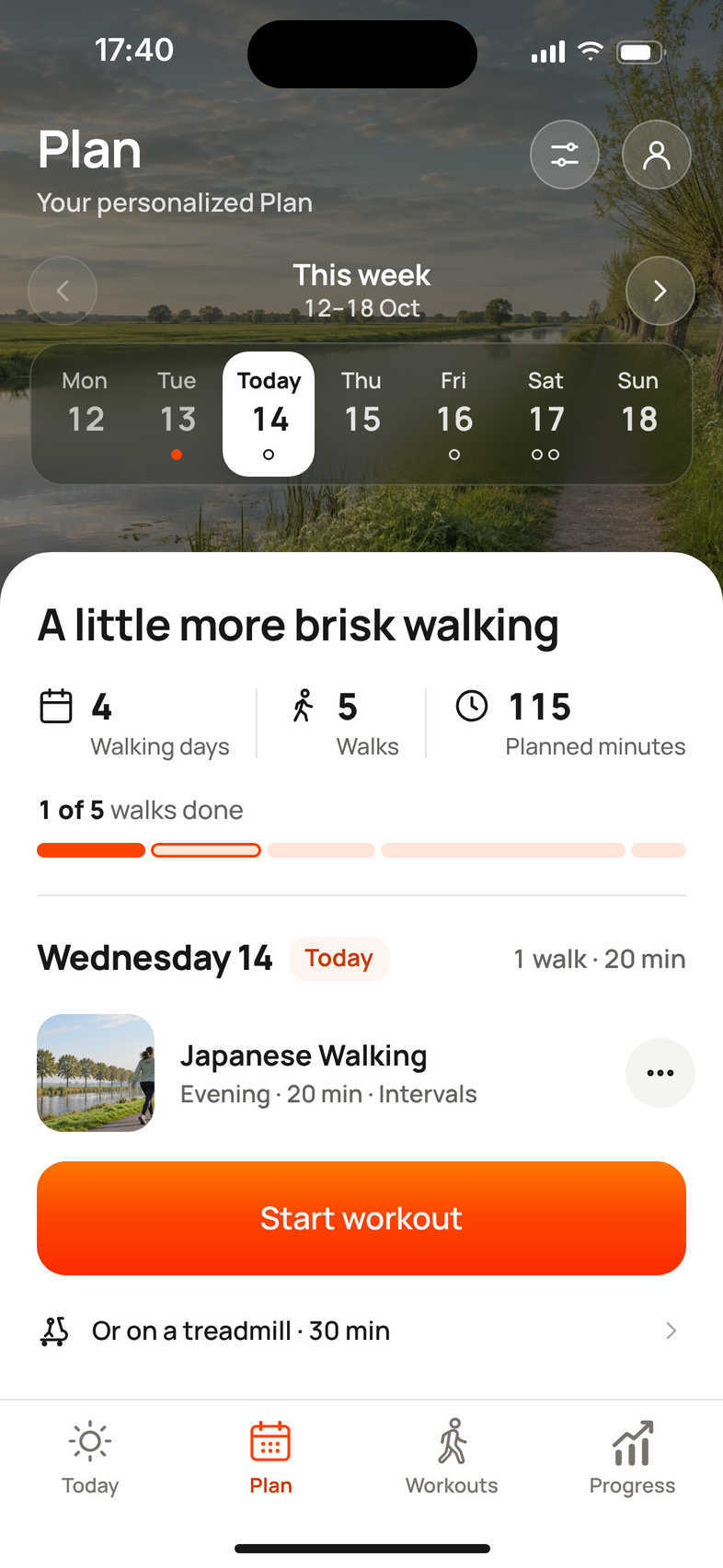
See personalized walking goals and a weekly plan built around your starting point. You see this preview before you decide on a membership.
03
Walk and keep going.
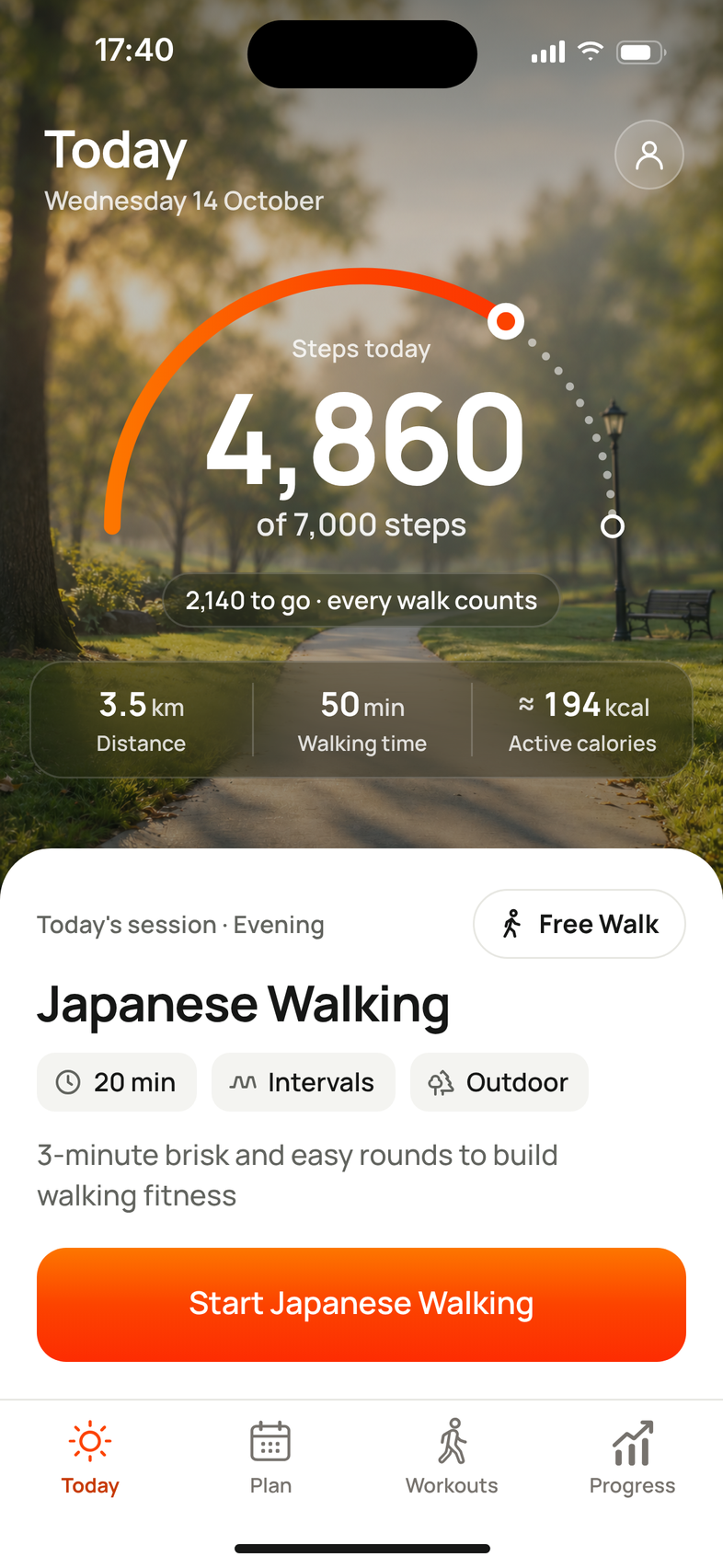
Follow workouts, track everyday steps, and check your progress over time. Today shows your steps and the walk that’s planned for you.
In the app
What happens after you download.
The order is the same for everyone. Nothing on this website asks for your details: your answers and your plan stay in the app.
- 1
Answer the questions
Your goal, your current activity, your week and where you walk, plus a few safety questions.
- 2
See your plan preview
Your daily step goal and the shape of your first weeks.
- 3
Choose a membership
Yearly, with a 14-day free trial if you’re eligible, or monthly. The price is shown before you pay.
- 4
Create your account
With Apple, Google or a code sent to your email.
- 5
Connect your steps
Allow Apple Health or Health Connect so your everyday steps count. You can also do this later.
- 6
Set walking reminders
Optional: pick the times that suit your planned walking days.
App screens show example data.
All in one app
Your steps, your workouts, your progress.
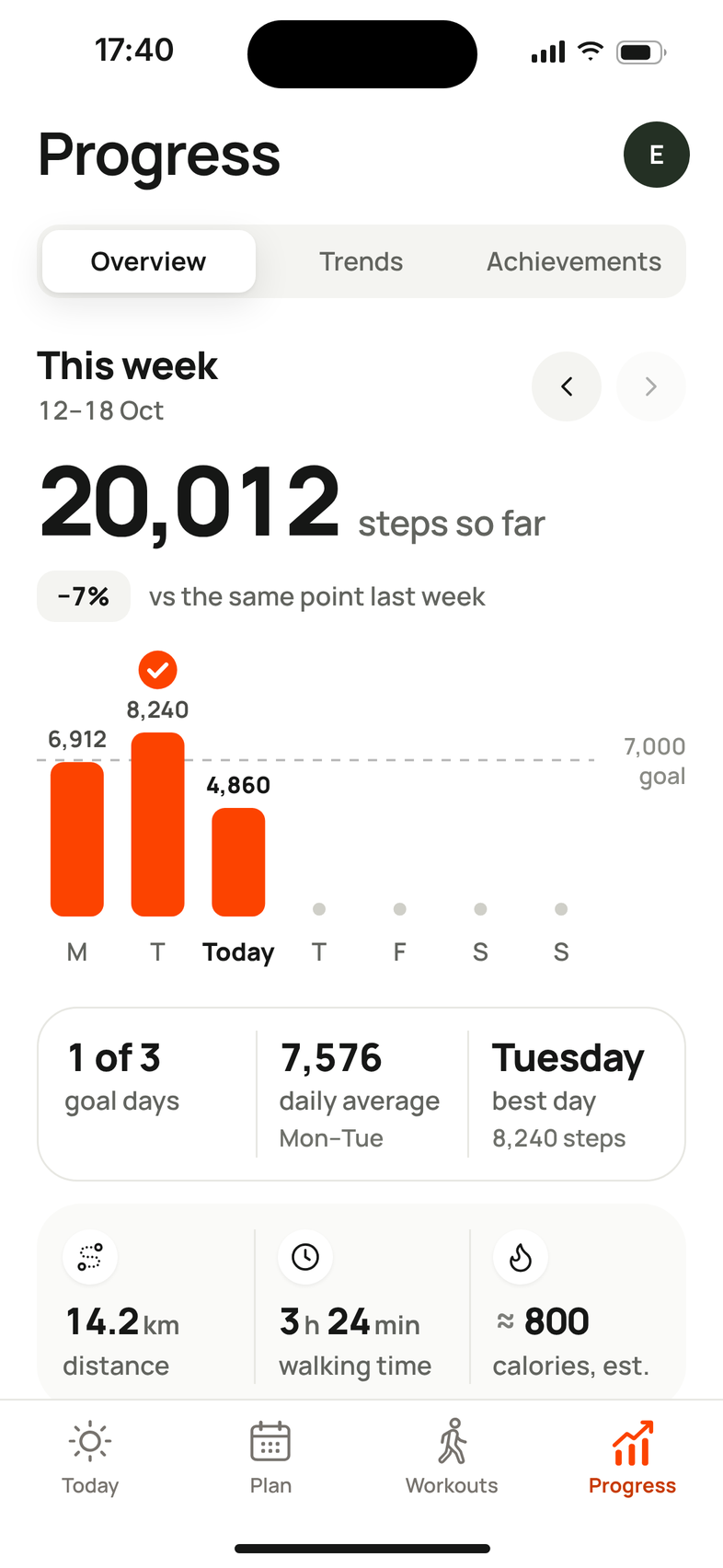
Everyday movement matters, too. Mova helps you see your walking across your day—not only the workouts you choose to start.
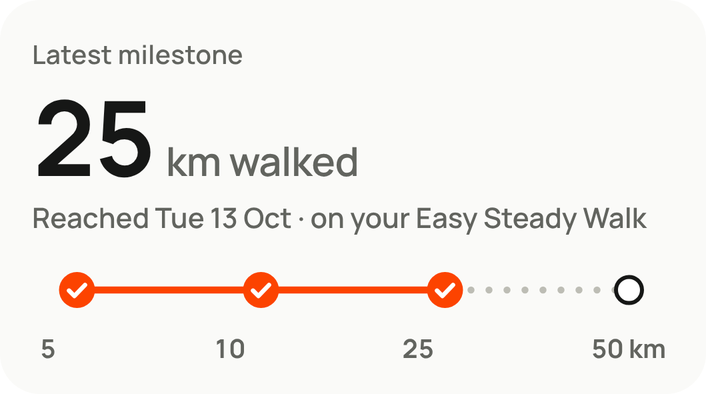
Today brings your steps and today’s walk together. Progress shows how your weeks add up, with milestones and personal bests along the way.
Two ways in
A plan when you need direction. A workout when you want variety.


Questions about getting started.
How do I get my plan?
Download Mova and answer the questions in the app. Mova uses your answers to show you a preview of your plan: your daily step goal, how many walks a week and how long they are. You see this before you choose a membership. The website doesn’t ask you anything; your plan is made in the app.
Does Mova count steps outside my workouts?
Yes, if you connect Apple Health on iPhone or Health Connect on Android. Mova then reads your steps and walking distance from your phone, so your daily total includes the walking you do anyway, plus the walks you record in Mova. See step tracking.
Can I use Mova indoors?
Yes. Mova has sessions for walking on the spot at home, for a treadmill and seated sessions you do in a chair, alongside outdoor walks. See walking workouts.
How does the membership work?
Mova is a paid app with a yearly and a monthly membership. The yearly membership starts with a 14-day free trial if you’re eligible. The current price is shown in the app before you pay, and you manage or cancel your membership in the App Store or Google Play. See subscription information.
Do I need to be fit to start?
No. Your plan starts from where you are now. If you have a health condition or haven’t been active for a while, check with your doctor before you start.
Find your next step with Mova.
A personalized plan, useful daily goals, and more ways to walk.