Steps and HealthHow-to
Connect Apple Health or Health Connect
Mova counts your everyday steps through Apple Health on iPhone and Health Connect on Android. You connect once, in a few taps, and Mova only reads your steps and distance.
Mova doesn’t count steps itself. Your phone already does, and Mova reads that count from Apple Health (iPhone) or Health Connect (Android). Walks you record in Mova count either way, even if you never connect.
What Mova reads, and what it doesn’t
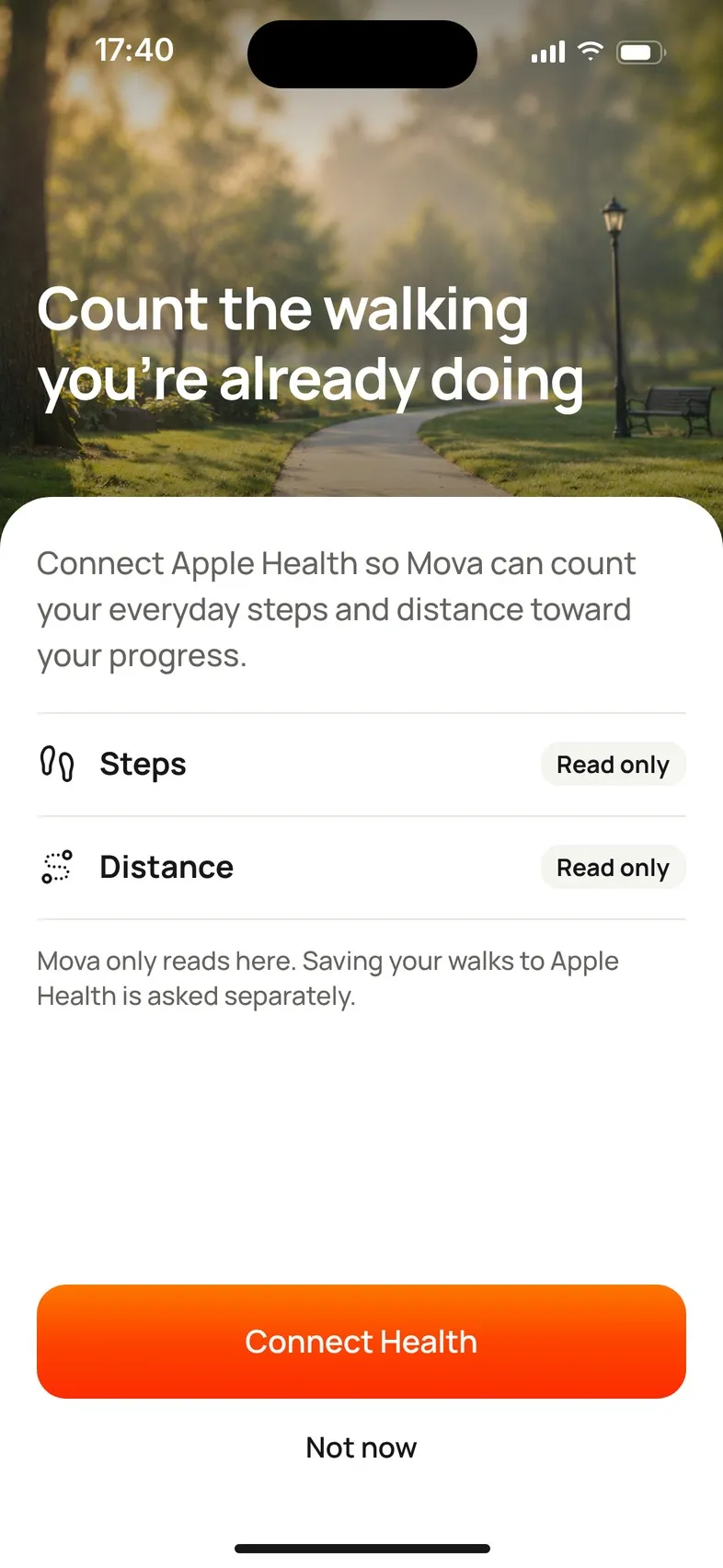
Mova asks to read two things:
- Steps
- Distance
It never reads your weight, heart rate or anything else in Apple Health or Health Connect. Saving your Mova walks to Health is a separate choice that Mova asks about later (see Save your Mova walks to Apple Health or Health Connect).
When Mova asks
Mova asks once, right after you create your account, on the screen Count the walking you’re already doing. If you tapped Not now then, Mova won’t ask again by itself. You can connect any time later.
Connect later
On iPhone
- Tap the round profile button at the top right of Today, then Health & devices.
- Tap Connect Health. Mova explains what it reads, then your iPhone shows Apple’s Health access sheet.
- Turn on Steps and Walking + Running Distance (or Turn On All) and tap Allow.
- Back in Mova you’ll see Connected.
You can also connect from the card on Today that says Mova isn’t counting your steps yet.
On Android
- Tap the round profile button at the top right of Today, then Health & devices.
- Tap Connect to Health Connect. Mova explains what it reads, then Health Connect asks for permission.
- Allow Steps and Distance and confirm.
- Back in Mova you’ll see Connected.
If Mova says Health Connect needs an update before Mova can read your steps, tap Update Health Connect. It opens Health Connect in Google Play. Update it, then come back and connect.
After you connect
Mova may then look at your last 14 days of walking in Health to check that your starting daily goal fits you. During setup, or when you connect from the card on Today, you see this as a short screen that starts with Reading your recent walking…. If you connect from Health & devices, Mova confirms with Apple Health connected (or Health Connect connected), and Today shows a short note if your goal changes. A goal you set yourself is never changed. More in Change your daily step goal.
From then on, your steps appear on Today and in Progress. They update when you open Today; pull down on Today to refresh straight away.
If Health isn’t available on your phone
On a phone without Apple Health or Health Connect, Mova shows … isn’t available on this device. You can still use Mova: walks you record in Mova count toward your goal and your progress.
Didn’t solve it?
Email support@movawalk.com. From the app, Profile & settings › Help & support › Contact support adds your app version and support reference.