Steps and HealthFix a problem
Steps not showing up or not updating
Most of the time Mova can't see your steps because Health access is off or Health hasn't recorded new steps yet. Find the message you see, then follow the checks for your phone.
First, try this
- On Today, pull down to refresh.
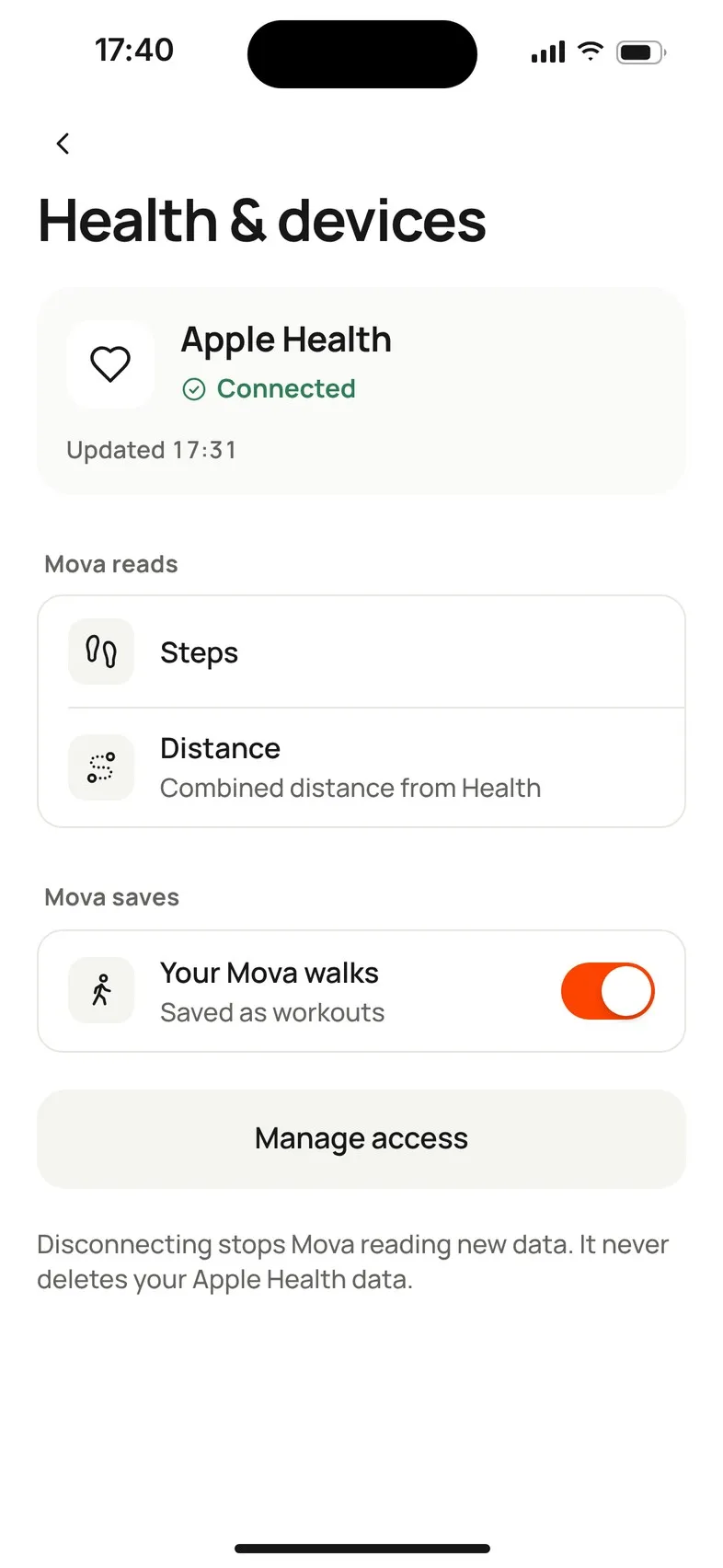
- Check Profile & settings › Health & devices. The card at the top tells you what Mova sees.
- Find that message below.
What the message means
| You see | Means | What to do |
|---|---|---|
| Not connected · Mova isn’t counting your steps yet | Mova doesn’t have access to Health. | Tap Connect Health (iPhone) or Connect to Health Connect (Android). How to connect. |
| Needs attention · Mova can’t see your steps yet (Android) | Access was turned off in Health Connect. | Tap Open Health Connect and allow Steps for Mova (steps below). |
| Needs an update (Android) | Health Connect needs updating first. | Tap Update Health Connect, update it in Google Play, then come back. |
| No steps from Health yet · Mova can’t see today’s steps yet | Connected, but Health hasn’t given Mova any steps. | On iPhone, check that Mova may read Steps (below). |
| No new data since a day | Health stopped recording new steps. | Open Apple Health or Health Connect and check it’s still recording steps, then come back. |
| No new data in the last two weeks | Nothing new from Health for two weeks. | As above. Your Mova walks still count. |
| Not available on this device | This phone has no Apple Health or Health Connect. | Walks you record in Mova still count. |
| Some activity may still be syncing (on Today) | Mova’s last read was a while ago. | Pull down on Today. |
| No steps from Health yet today | Nothing recorded yet today. | Steps appear when Health updates, or after your first walk. |
Check access on your phone
On iPhone
iPhone doesn’t tell apps when you’ve turned their Health access off, so Mova may still say Connected. Check it yourself:
- Open the Settings app.
- Tap Privacy & Security, then Health, then Mova.
- Make sure Steps and Walking + Running Distance are on.
In Mova, Profile & settings › Health & devices › Manage access shows these steps too. You can also check in the Health app: tap your profile picture, then under Privacy tap Apps, then Mova.
Also check that your iPhone itself records steps: in the Health app, look at Steps for today. If it’s empty, open the Settings app › Privacy & Security › Motion & Fitness and make sure Fitness Tracking is on.
On Android
- In Mova, go to Profile & settings › Health & devices and tap Manage access (or Open Health Connect).
- In Health Connect, tap App permissions, then Mova.
- Make sure Steps is allowed (and Distance, if you’d like Mova to show it).
Also check that something on your phone writes steps to Health Connect, for example your phone’s own fitness app or your watch’s app. In Health Connect, the step data for today should not be empty. If it is, open that app and check it’s allowed to share steps with Health Connect.
Still nothing?
- Restart Mova: close it completely and open it again.
- Walk with Mova: a walk you record in Mova always counts, even when Health doesn’t deliver anything.
- A day stays empty: Mova marks it No step data for this day instead of counting it as zero. See Days marked “No step data”.
If the numbers are there but different from another app, see Why your numbers differ. Otherwise, contact support.
Didn’t solve it?
Email support@movawalk.com. From the app, Profile & settings › Help & support › Contact support adds your app version and support reference.