Your plan and goalsHow-to
Change your daily step goal
Tap the step ring on Today to change your daily goal, in steps of 500 between 1,000 and 30,000. A new goal applies from today; earlier days keep the goal they had.
Change it
- On Today, tap the step ring. (Or go to Profile & settings › Goals & personalization › Daily step goal.)
- Use − and + to change the goal by 500 steps.
- Tap Save goal. Mova confirms Goal saved.
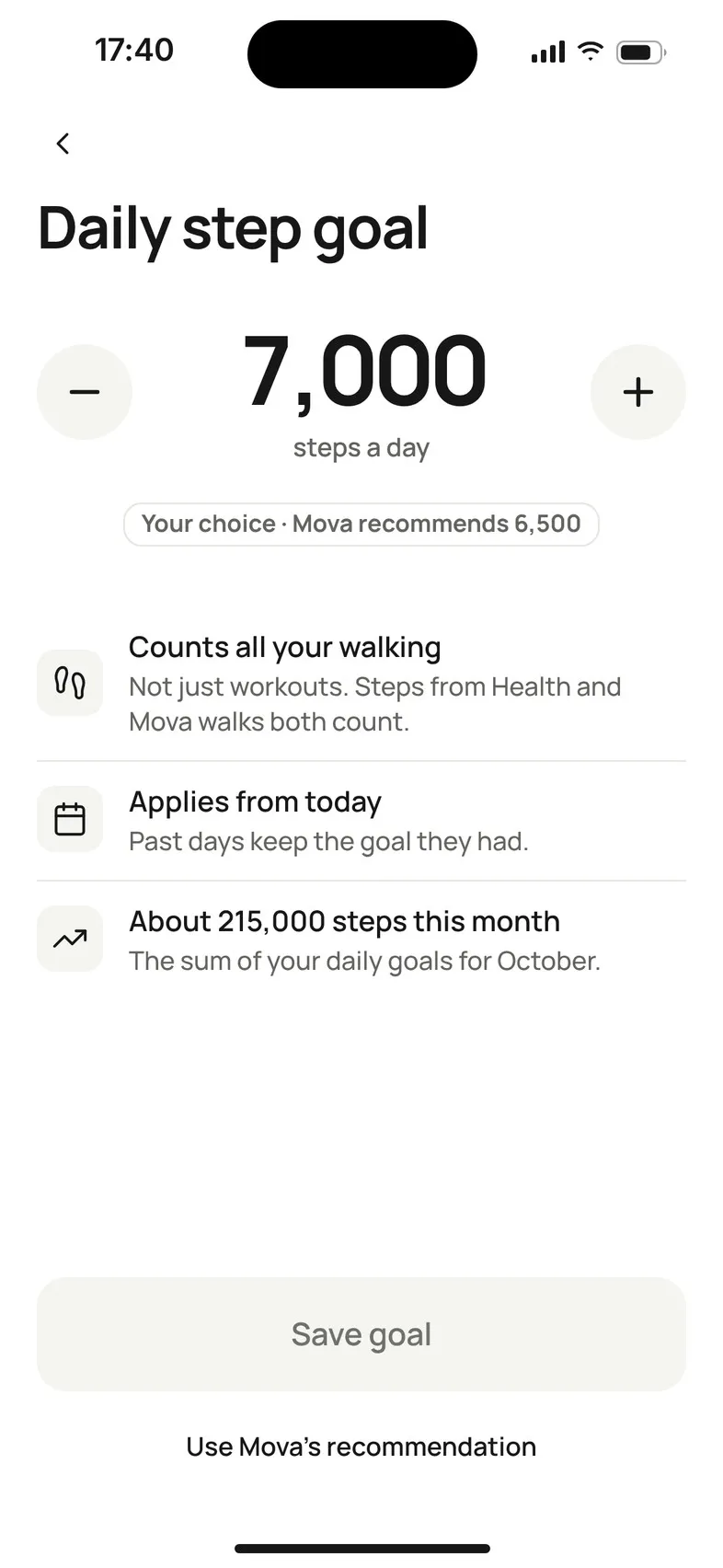
The goal can be anything from 1,000 to 30,000 steps a day.
- Applies from today. Past days keep the goal they had, so your earlier goal days and streak don’t change.
- Counts all your walking: steps from Apple Health or Health Connect and your Mova walks both count.
Go back to Mova’s recommendation
Under the number, Mova shows where your goal comes from: Recommended by Mova, Your choice, or Your choice · Mova recommends with its suggestion. Tap Use Mova’s recommendation to go back to it.
Your monthly goal
Your monthly goal is the sum of your daily goals for that month, for example About 215,000 steps this month. It follows your daily goal automatically and can’t be set on its own. You’ll see it on Today and in Progress. If you joined partway through a month, that month has no monthly goal.
Why your goal changed
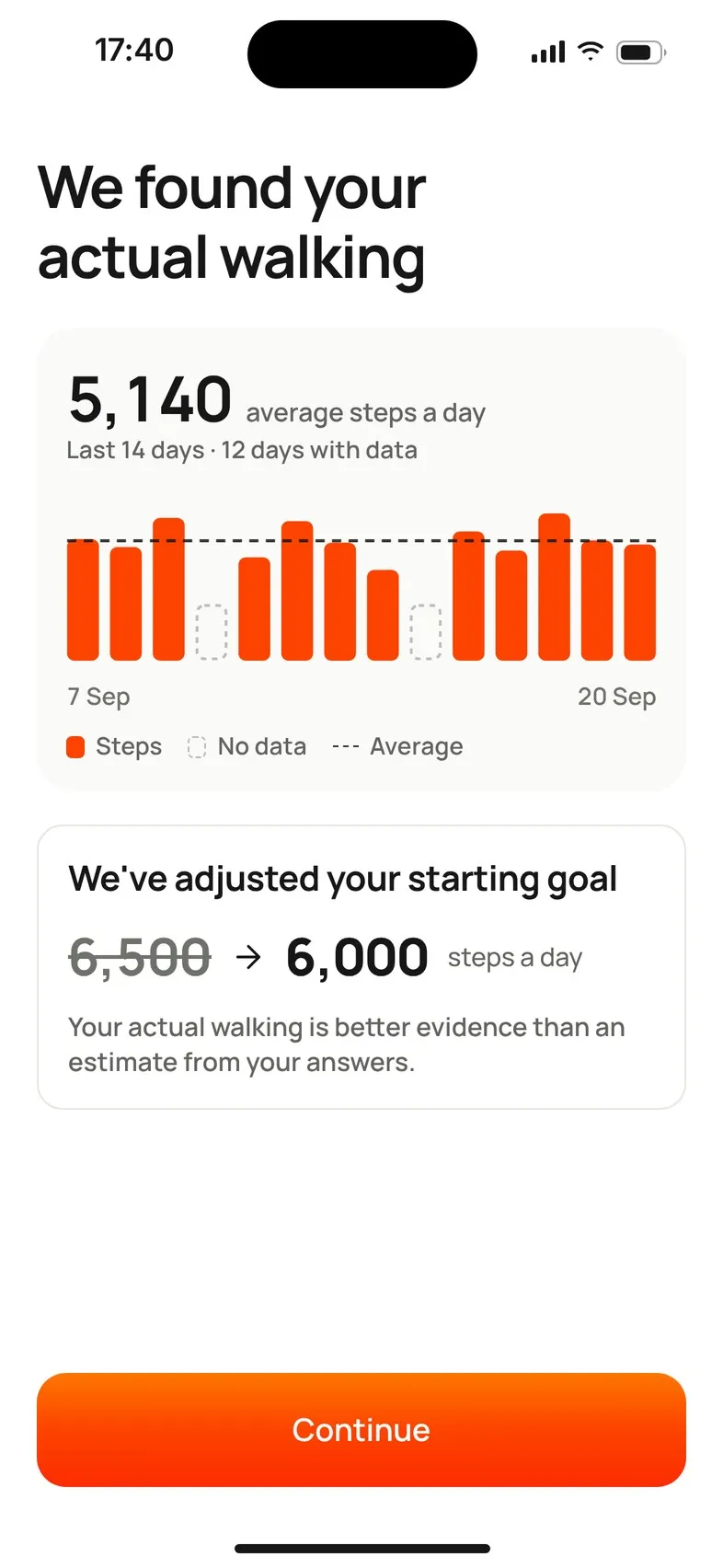
When you first connect Apple Health or Health Connect, Mova may compare your starting goal (estimated from your setup answers) with your real walking over the last 14 days. It needs at least a few days with step data.
- We’ve adjusted your starting goal: your actual walking is better evidence than an estimate, so Mova moved your goal closer to it.
- Your starting goal … still looks right: no change.
- Mova needs a few more days of walking data: your goal stays the same for now, and Mova may look again on a later day.
- Your goal stays yours: you’d already set the goal yourself, so Mova doesn’t touch it. It may suggest a different number, which you can use or ignore.
Mova changes your goal this way only once. When it happens after setup, Today shows a short note such as Your daily goal is now … steps; tap Got it. You can always change the goal back.
If saving doesn’t work
We couldn’t save your goal. Check your connection and try again. Your previous goal stays in place until the new one is saved.
Didn’t solve it?
Email support@movawalk.com. From the app, Profile & settings › Help & support › Contact support adds your app version and support reference.