Progress and achievementsExplained
Understanding your Progress
Progress has three parts. Overview shows this week against your goal. Trends shows steps, distance, walking time and calories over weeks and months. Achievements has your milestones, personal bests and streak.
Open the Progress tab. At the top you choose Overview, Trends or Achievements.
Overview: your week
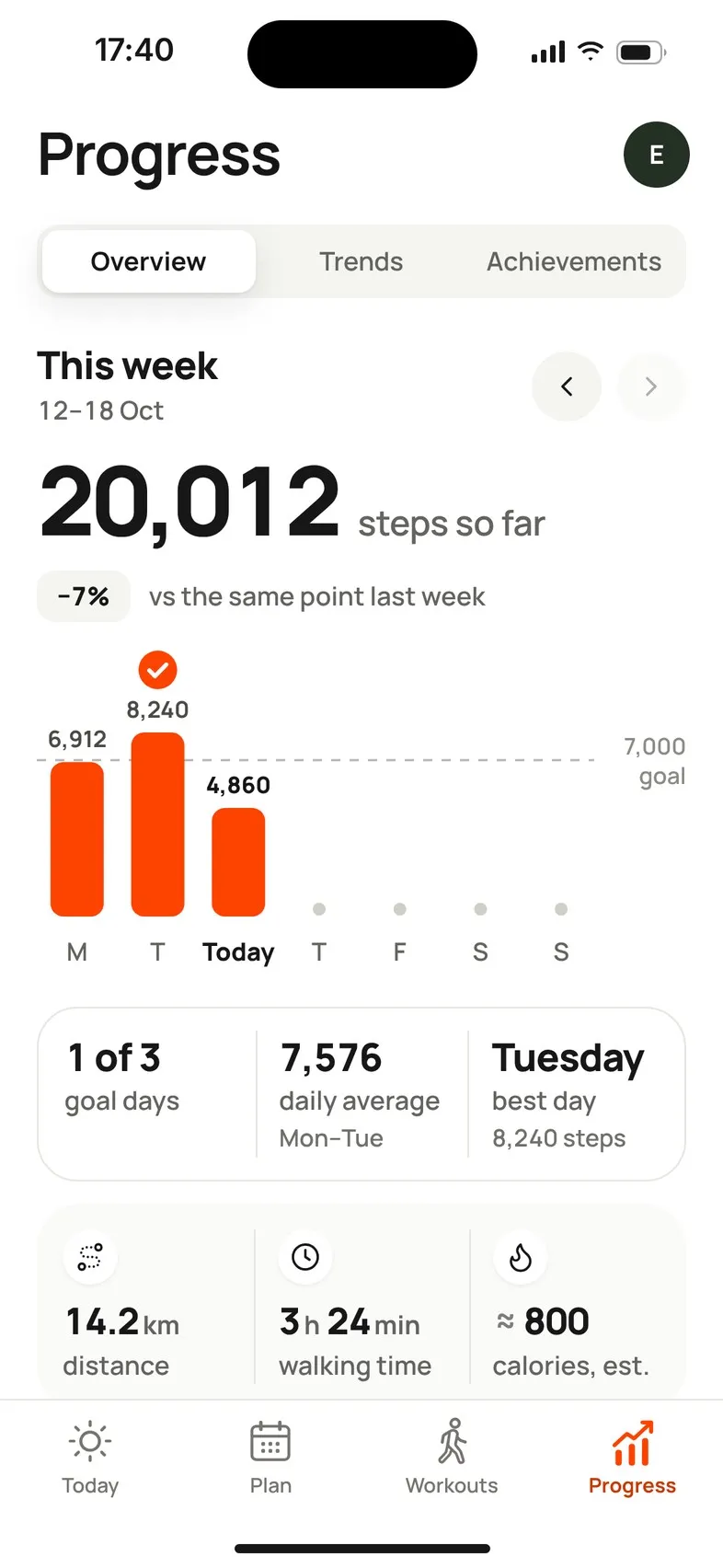
- This week, with arrows to look at earlier weeks. Weeks start on Monday or Sunday, depending on your phone’s region.
- Steps so far this week, and how that compares: vs the same point last week. Your first week says comparisons start next week.
- A bar for each day, with your goal as a line. Tap a bar to open that day.
- Goal days (for example 3 of 5), your daily average over the finished days, and your best day.
- Distance, walking time and calories, est. for the week.
- Momentum: how your daily average compares with your first week. It appears after two full weeks.
- Plan progress: how many planned walks you’ve done this week, and your next one.
Trends: weeks and months
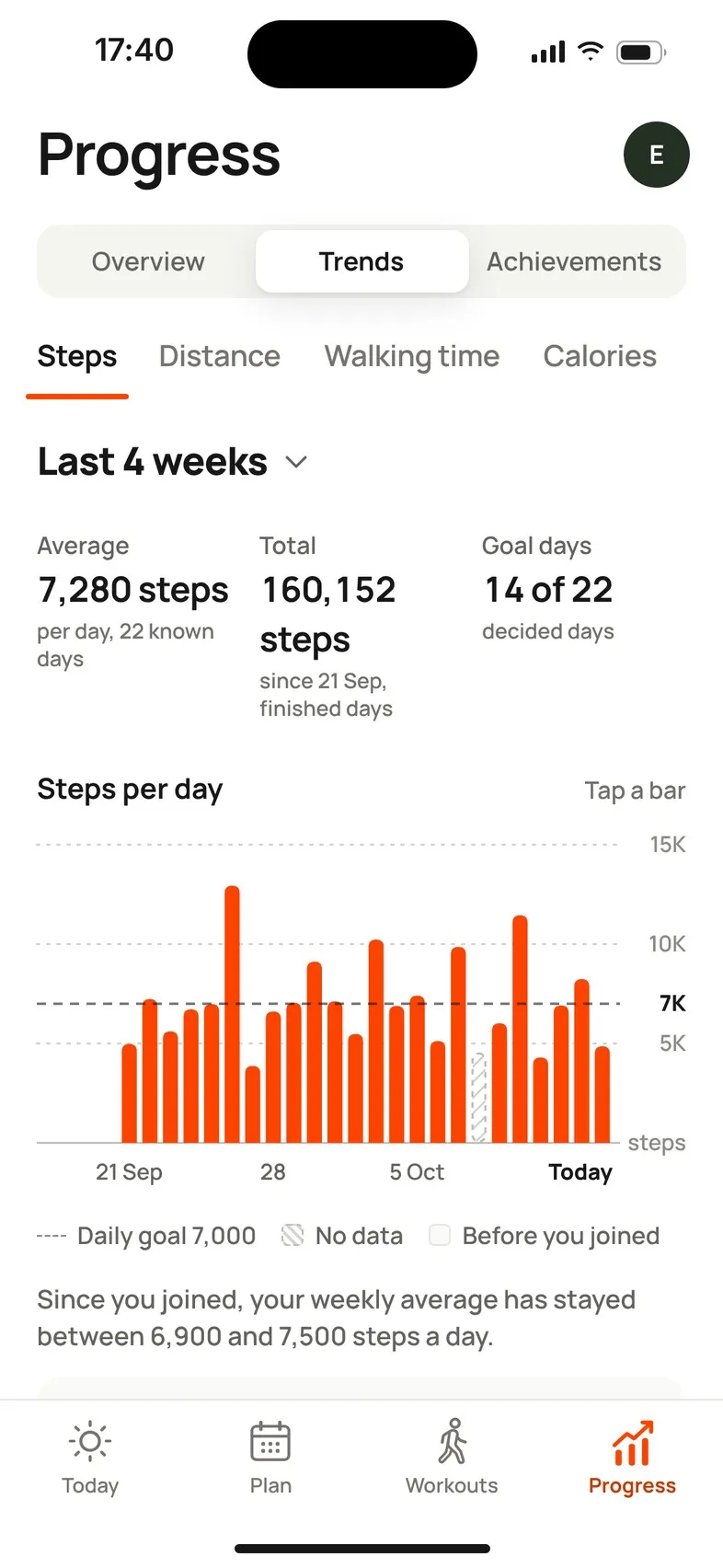
Choose Steps, Distance, Walking time or Calories, and a range: Last 4 weeks, Last 3 months, Last 6 months or Since you joined. The 4-week view shows a bar per day; longer ranges show weekly averages.
You’ll see the Average, Total, Goal days and a comparison with the previous period once there’s enough history. By month shows whether you reached each monthly goal.
Below that, Recorded walks shows your latest walks recorded in Mova, and All recorded walks opens the full list.
A single day
Tap a day anywhere in Progress to see it: your steps against that day’s goal, Distance, Walking time and Active cal., when the data was last updated, and the walks you recorded. Use the arrows to move between days, and pull down to refresh.
Things to know
- Averages only use days with step data. Days without data are marked, never counted as zero. See Days marked “No step data”.
- Distance comes from Apple Health or Health Connect and can include running. Daily goals are for steps only.
- Calories are estimates. See How distance, walking time and calories are worked out.
- Without Health connected, Progress asks you to connect it to see your daily walking. Walks you record in Mova are still saved and shown.
If it doesn’t load
Progress can’t load right now · Your walks and progress are safe. Or, in Trends: Trends didn’t load · Your walking data is safe. Check your connection and tap Retry.
Didn’t solve it?
Email support@movawalk.com. From the app, Profile & settings › Help & support › Contact support adds your app version and support reference.