Account, privacy and dataExplained
Your privacy settings
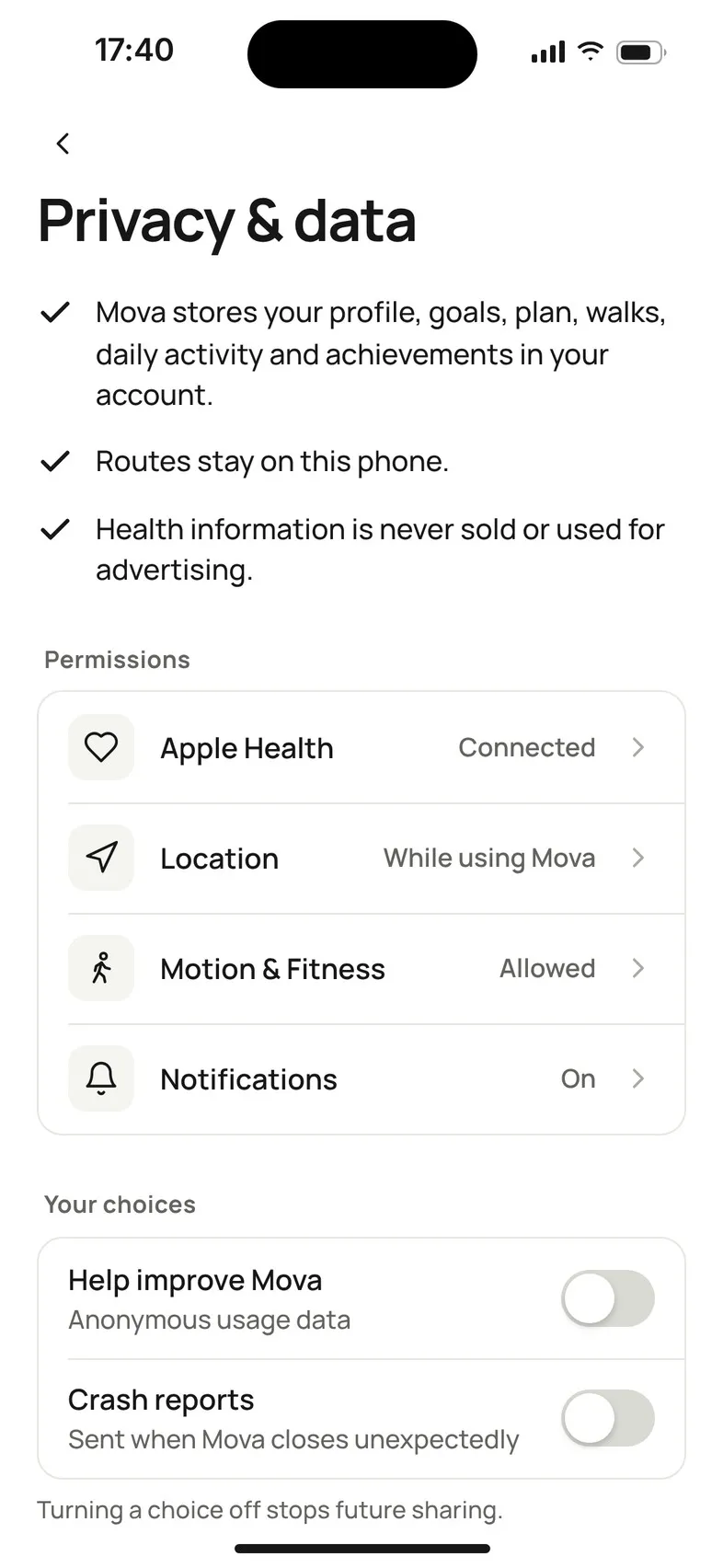
Profile & settings › Privacy & data shows what Mova keeps, which phone permissions it has, and two choices, usage data and crash reports, which are off until you turn them on.
Go to Profile & settings › Privacy & data.
What Mova keeps
- Mova stores your profile, goals, plan, walks, daily activity and achievements in your account.
- Routes stay on this phone.
- Health information is never sold or used for advertising.
Permissions
These rows show what your phone allows Mova, and open the right settings page:
| Row | Shows | Used for |
|---|---|---|
| Apple Health / Health Connect | Connected or not | Reading your steps and distance |
| Location | While using Mova or Not allowed | Your route and distance on outdoor walks |
| Motion & Fitness (iPhone) / Physical activity (Android) | Allowed or Not allowed | Counting steps during a walk |
| Notifications | On, Off or Not set up | Reminders |
Your choices
- Help improve Mova · Anonymous usage data
- Crash reports · Sent when Mova closes unexpectedly
Both are off until you turn them on. Turning a choice off stops future sharing.
Your data
- Export your data: a copy in JSON and CSV. See Export your data.
- Delete account: see Delete your account.
Privacy policy and Terms open the full texts. You can also read them here: Privacy policy.
Questions about your data
Email privacy@movawalk.com.
Didn’t solve it?
Email support@movawalk.com. From the app, Profile & settings › Help & support › Contact support adds your app version and support reference.