Membership and billingExplained
What happens when your membership ends
When your membership ends, Mova keeps your goals, plan and walks. The main app is locked until you renew, but you can still export or delete your data and get help.
What you’ll see
Your Mova data is saved · Renew to continue your plan. Your goals, plan and walks are kept.
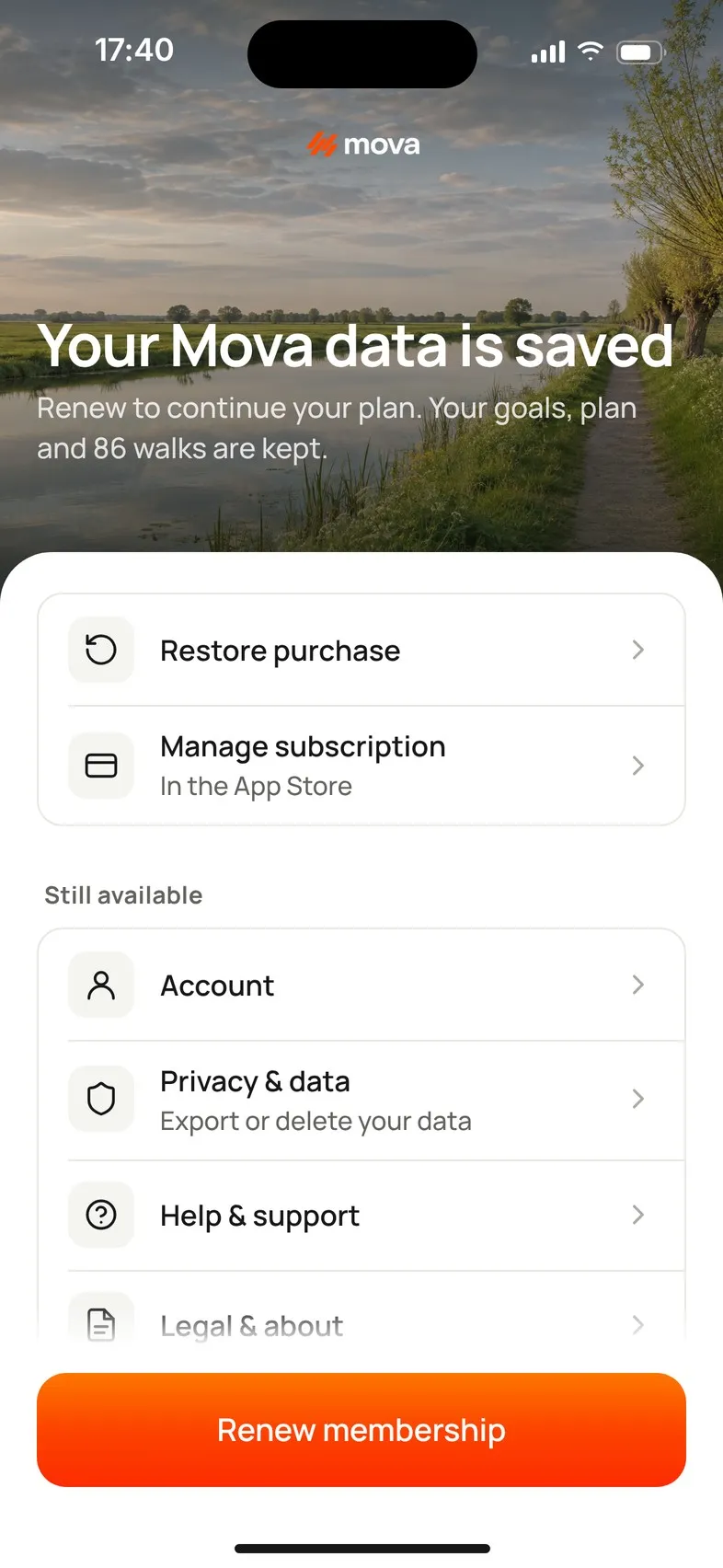
What’s locked, and what still works
| Locked until you renew | Still available |
|---|---|
| Today, Plan, Workouts and Progress | Account (and Sign out) |
| Starting walks and workouts | Privacy & data: export or delete your data |
| Programs and challenges | Help & support |
| Changing your plan, goals and reminders | Legal & about |
| Personal details, Health & devices, Units & preferences |
A walk that’s already running when your membership ends isn’t interrupted.
Your data
Nothing is deleted because your membership ended. Your goals, plan, walks and achievements stay in your account. To take a copy, see Export your data; to remove it, see Delete your account.
Continue
- Renew membership shows the options again: Continue your Mova plan · Your plan, goals and history are saved. After you renew, you’re back on Today and your plan picks up from this week.
- Restore purchase if you’ve already renewed, or bought Mova with this store account. See Restore your membership.
- Manage subscription opens your App Store or Google Play subscriptions.
If you didn’t expect this
- A payment didn’t go through? See Payment problem or membership paused.
- Mova can’t check right now (no connection)? Mova says We can’t confirm your membership. See Problems buying or checking your membership.
- On a new phone, or signed in with another account? Sign in with your usual method, then restore.
Didn’t solve it?
Email support@movawalk.com. From the app, Profile & settings › Help & support › Contact support adds your app version and support reference.