Walks and workoutsHow-to
During a walk: pause, lock, finish or discard
The walk screen shows the current phase, the time left and what's next. Use Pause, Lock and Stop at the bottom. Guided walks finish and save themselves at the end; you can also finish early.
What the screen shows
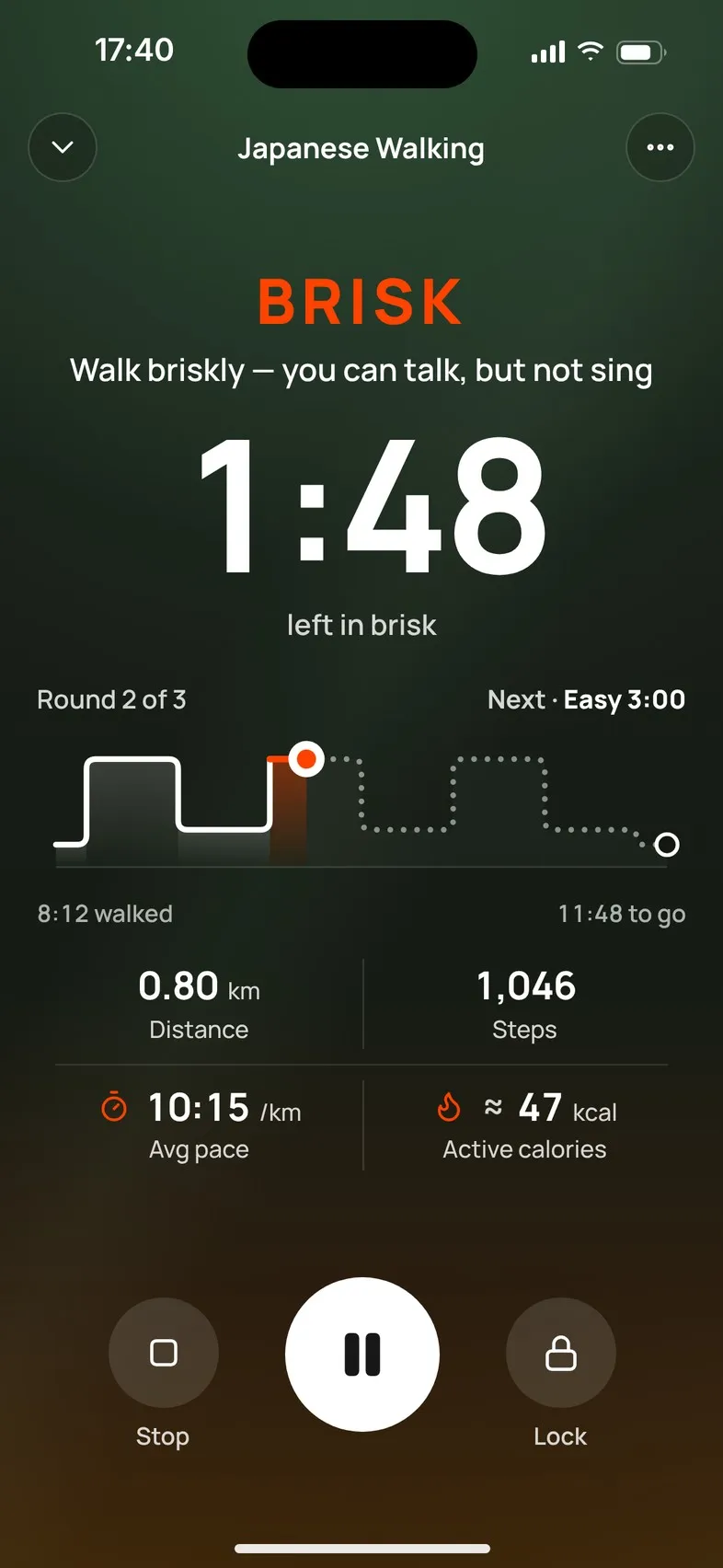
- The phase you’re in, such as Warm up, Easy, Brisk or Cool down, with a cue for the effort.
- The time left in this phase, and where you are: for example Round 2 of 5.
- Next: the coming phase and how long it is. In the last seconds it counts down, for example Easy in 0:08.
- How long you’ve walked and how long is to go.
- Distance, Steps, Avg pace and Active calories (an estimate) once Mova has measured them. Nothing is shown as zero before it’s measured.
On a Free Walk the screen leads with the time you’ve walked. On a treadmill it shows the Suggested speed and incline.
Pause and resume
Tap Pause (the large button). The screen shows Paused and the time. Tap it again to resume. Paused time isn’t counted as walking.
Lock the controls
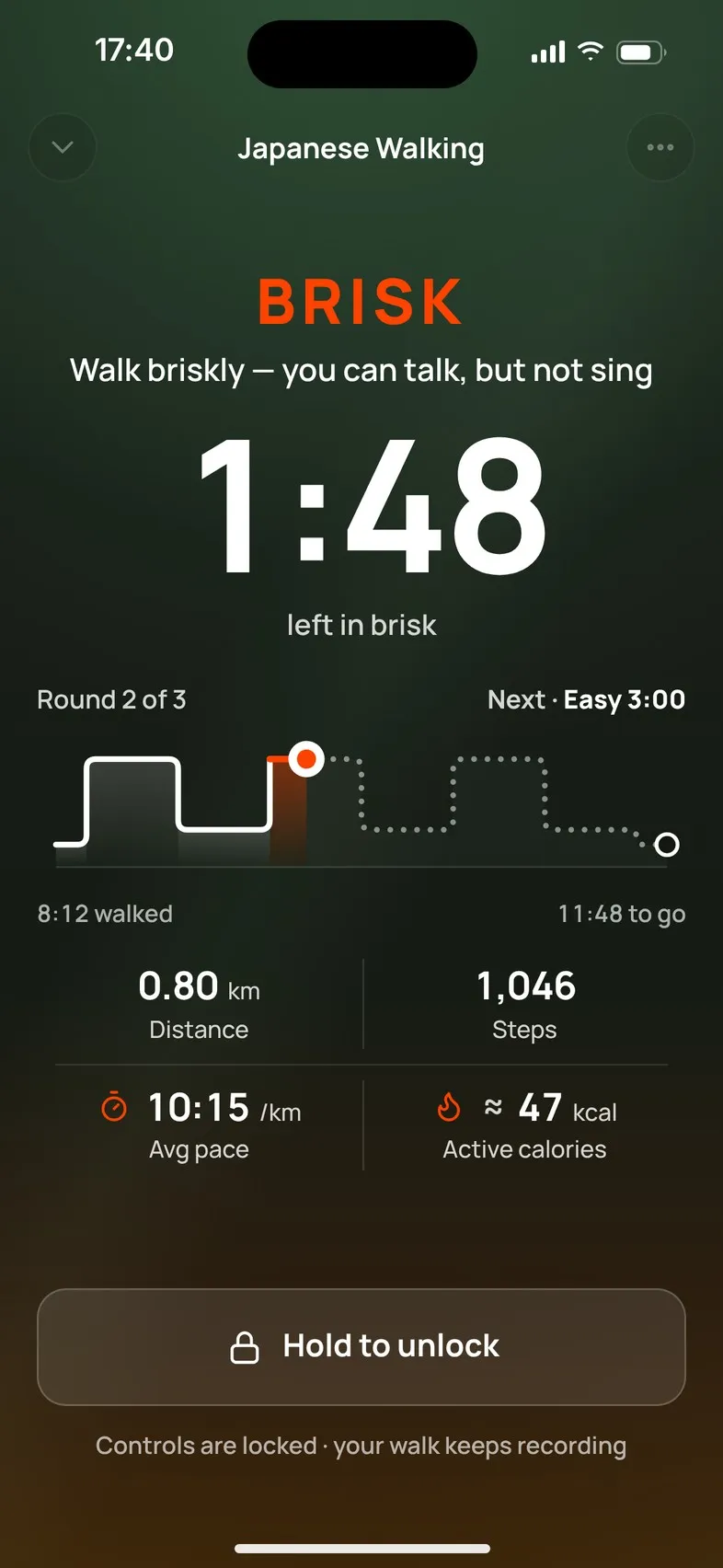
Tap Lock so a bag or pocket can’t press anything. The screen shows Controls are locked · your walk keeps recording. To unlock, press and hold Hold to unlock for about a second.
Leave the walk screen
Tap the arrow at the top left (Collapse walk, it keeps recording). You go back to Today, and a Walk in progress bar above the tabs takes you back to the walk. On Android, the Back button does the same while the controls are unlocked.
Indoor and chair workouts are different: they pause when you leave them. See Indoor and chair workouts.
Finish
Guided walks finish by themselves when the planned time is up, and Mova saves the walk and shows your summary.
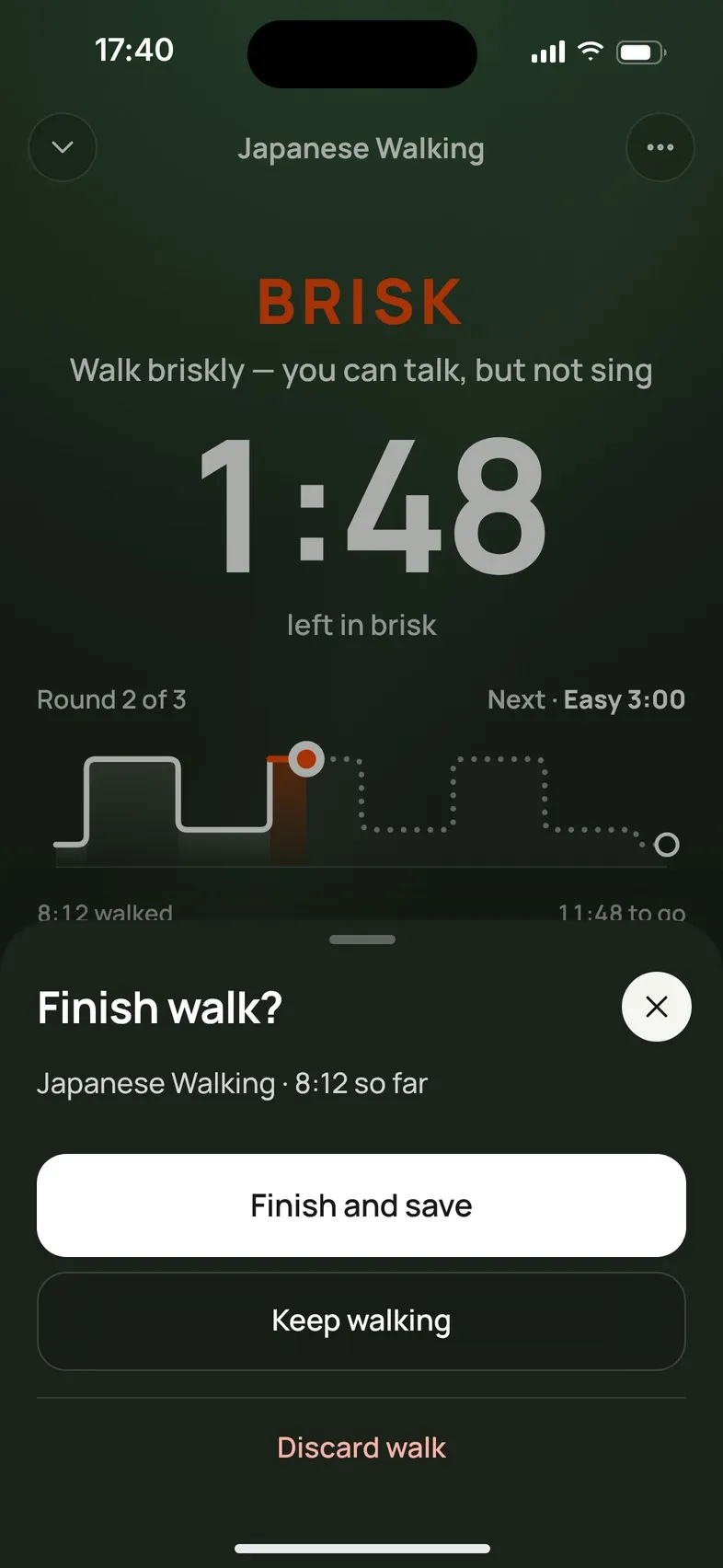
To finish early, tap Stop. Mova asks Finish walk? and shows how long you’ve walked so far:
- Finish and save saves what you’ve done. If you walked most of a planned walk (about 90%), it can still count as done; otherwise it shows as partly done.
- Keep walking takes you back.
- Discard walk throws the walk away. Mova asks once more: It won’t be saved. Tap Discard to confirm.
A Free Walk never ends by itself, even when you reach your goal: tap Stop when you’re done.
More options
Tap ⋯ at the top right for:
- Audio cues, to turn the sounds on or off (for this and later walks).
- If you feel unwell: what to do, and when to stop.
- Finish walk.
Notes you might see
| Note | Means |
|---|---|
| Route is off — time and steps still count. | Location is off or not allowed, so no route or distance. |
| Approximate location — distance may be less precise. | Your phone only shares an approximate location. |
| Looking for GPS signal — your walk keeps recording. | Mova lost GPS for a moment. |
| Motion access is off — steps aren’t counted. Time still counts. | Motion & Fitness / Physical activity isn’t allowed. |
Didn’t solve it?
Email support@movawalk.com. From the app, Profile & settings › Help & support › Contact support adds your app version and support reference.