Walks and workoutsHow-to
Treadmill walks and adding your distance
Treadmill workouts suggest a speed and incline for each part of the walk. Mova counts your time and steps; afterwards you can add the distance shown on the treadmill.
Before you start
Open a treadmill workout from Workouts (or your plan). Under Suggested settings you’ll see a speed and incline for each part, for example 5.0 km/h · 4% incline, or By feel. Speeds show in mph if you use miles.
Settings are suggestions. Go by how the effort feels and stay safe. You set the treadmill yourself; Mova doesn’t connect to it. The Treadmill walking guide explains getting on and off safely.
During the walk
The walk screen shows the phase, the time left and Suggested with the speed and incline for this part. Keep screen on (in Units & preferences) keeps the screen awake so you can see it.
Mova counts your time and your steps (with Motion & Fitness / Physical activity allowed). A treadmill walk has no route and no GPS distance: Treadmill walks have no route. Steps and time still count.
Add your distance
After the walk, your summary says No distance or pace for this walk. To add it:
- Tap Add treadmill distance (The distance shown on the console).
- Set the distance from your treadmill’s display with − and +, or tap one of the suggestions.
- Tap Save. Mova confirms Distance saved.
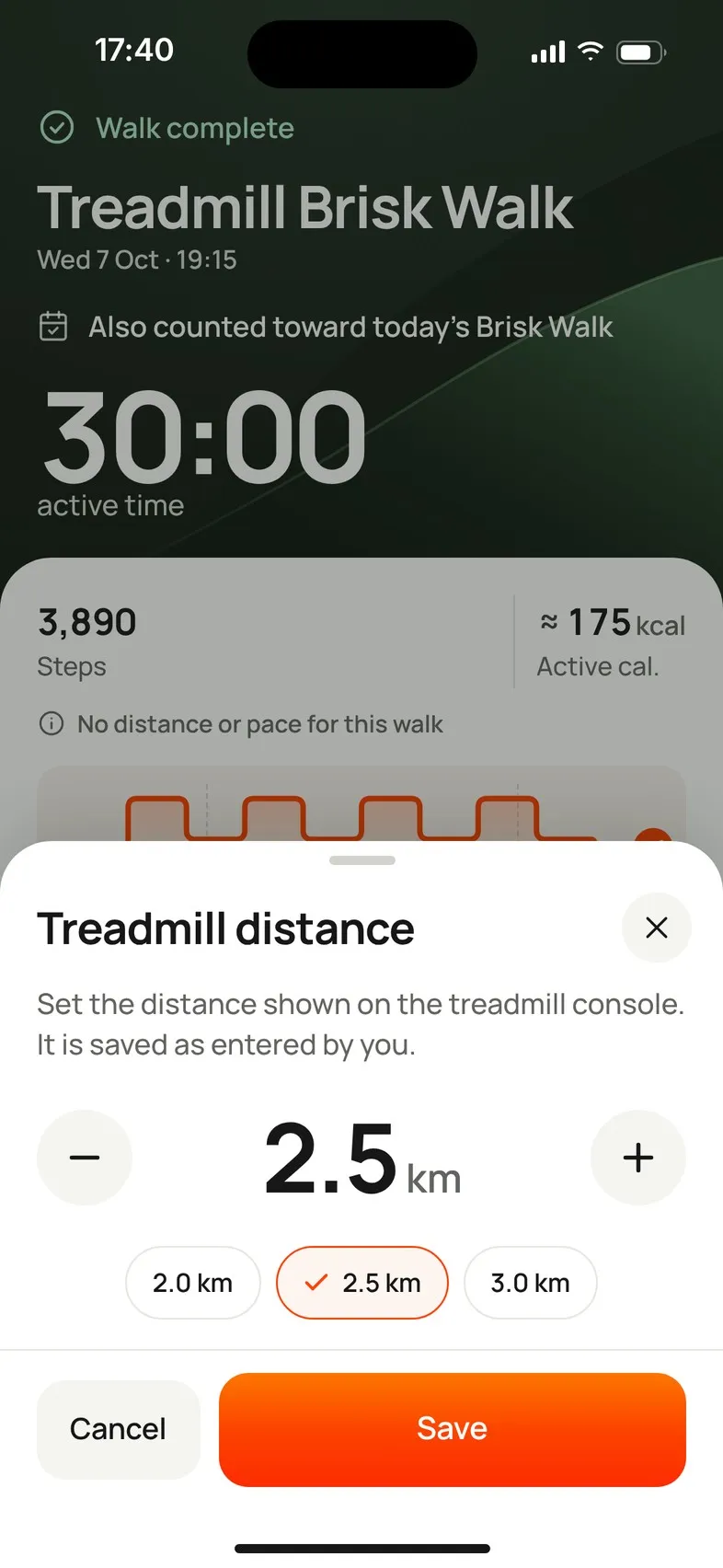
You can do this later too: open the walk in Progress › Trends › All recorded walks (or from its day) and tap Edit next to the distance. Remove takes it off again. The distance can be 0.1 to 100 km (0.1 to 62 miles), and it shows as Entered from treadmill.
Good to know:
- An entered distance isn’t sent to Apple Health or Health Connect; the walk is saved there without distance.
- Distance milestones and your longest-walk record only use GPS distance from outdoor walks.
- If it doesn’t save: The distance could not be saved. Please try again.
Didn’t solve it?
Email support@movawalk.com. From the app, Profile & settings › Help & support › Contact support adds your app version and support reference.