Walks and workoutsExplained
Sounds, vibrations and keeping the screen on
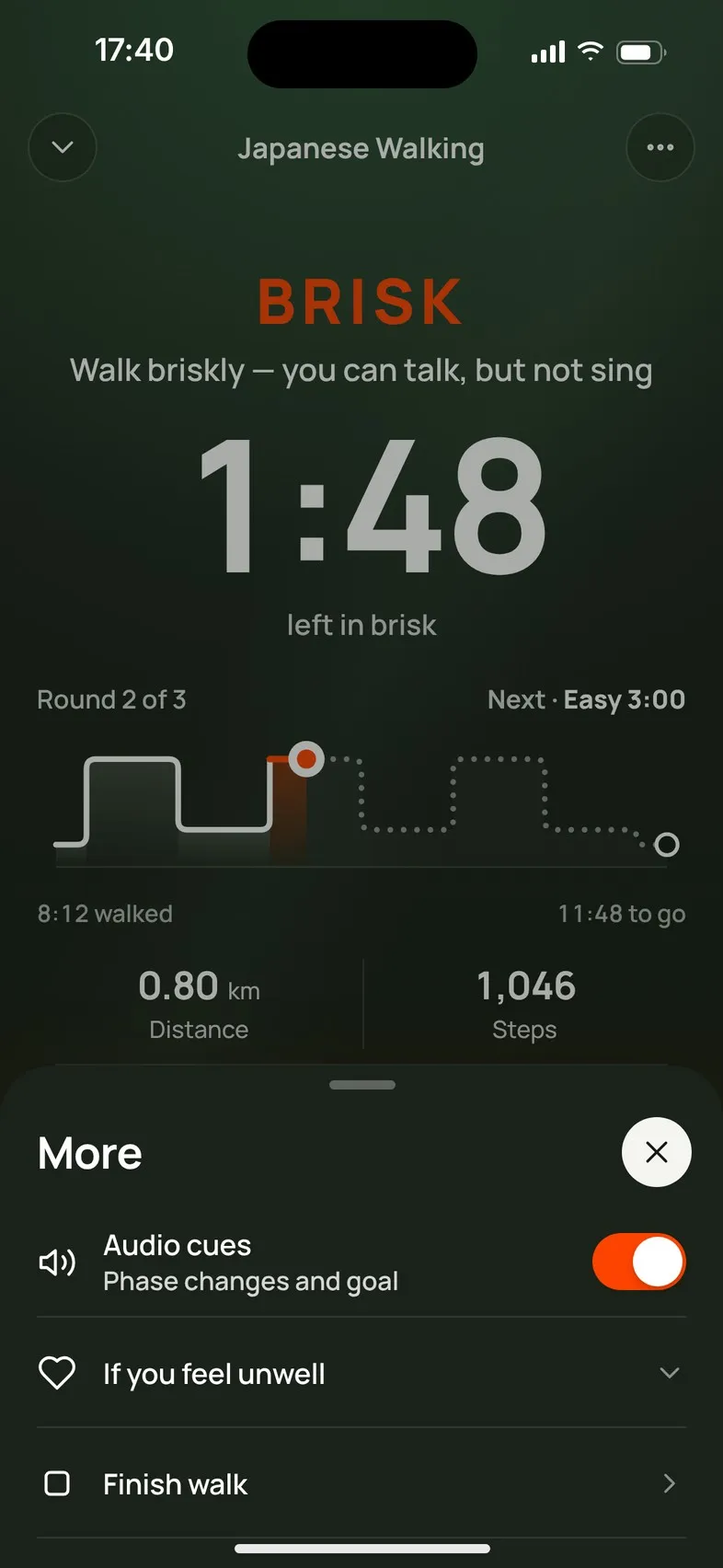
In interval walks Mova plays a short tone and gives a vibration when a new phase starts, and the screen shows what's next. Mova doesn't use spoken coaching. You can turn sounds, vibrations and Keep screen on off in Units & preferences.
What you’ll hear and feel
During a guided walk with phases (such as Japanese Walking or Interval Walking):
- A new phase starts: a short tone. It rises when it’s time to walk harder and falls when it’s time to ease off.
- A vibration at the same moment: one soft tap when you slow down, a double pulse when you speed up.
- The end of the walk: its own tone, with a success vibration. On a Free Walk, reaching your goal plays a tone with the same success vibration.
- On longer walks you also get a cue halfway and one minute before the end.
The screen always shows the current phase, the time left in it and what’s next, so you can glance at it too.
Mova doesn’t use spoken coaching. The sounds play even when your phone is on silent, and lower your music for a moment instead of stopping it.
Turn them on or off
Go to Profile & settings › Units & preferences, under Workouts:
- Audio cues · Short sounds when a phase changes
- Haptic cues · A tap at each phase change
Both are on unless you turn them off. You can also turn Audio cues on or off from the workout screen under Ready to go, or during a walk via ⋯. That changes the same setting as in Units & preferences, so it applies to your next walks too. Haptic cues are set when the walk starts.
“While Mova is open”
If the workout screen says Audio cues · On · While Mova is open, the sounds play while Mova is on screen. This happens on iPhone when the route isn’t being recorded, for example when location is off. Keep Mova open during the walk if you want to hear every cue, or allow location for outdoor walks (see Location, GPS distance and your route).
Keep screen on
Keep screen on · During treadmill and indoor walks stops your screen from going dark during treadmill walks and indoor and chair workouts, so you can follow along. It doesn’t apply to outdoor walks or while a workout is paused. It’s on unless you turn it off.
If you turn it off, an indoor or chair workout pauses when your screen locks, because those workouts follow the screen. Unlock and tap resume to continue.
Didn’t solve it?
Email support@movawalk.com. From the app, Profile & settings › Help & support › Contact support adds your app version and support reference.